
Install App
Follow these simple steps to install AniMangy on your device
1
Tap the Menu Button
iOS (Safari): Tap the Share button (square with arrow) at the bottom.
Android (Chrome): Tap the three dots menu at the top right corner.
2
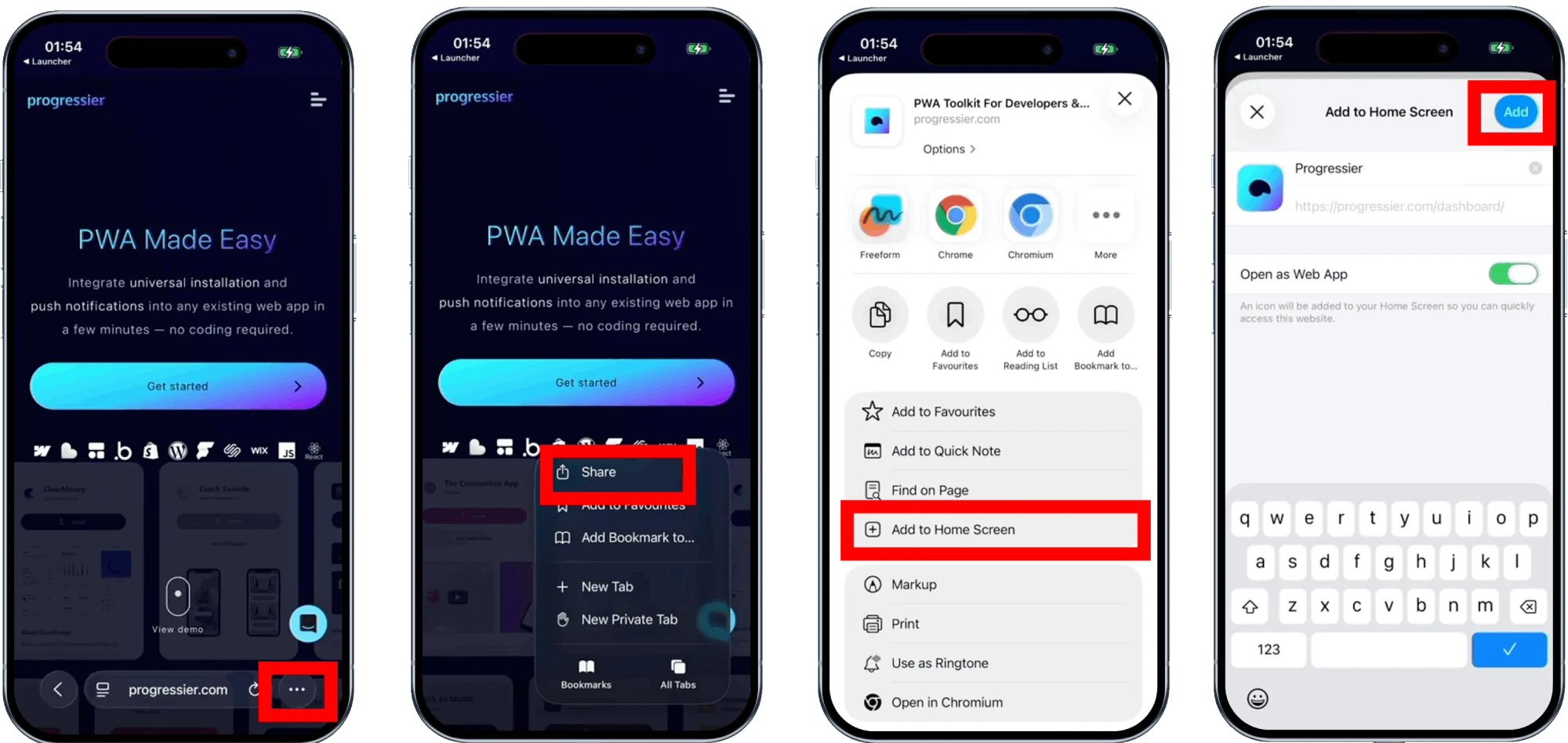
Select "Add to Home Screen"
Scroll down or through the menu options and select "Add to Home Screen" or "Install App".
3
Confirm Installation
A confirmation popup will appear. Tap "Add" or "Install" to finish the process.
4
Launch the App
The AniMangy icon will appear on your home screen. Tap it to launch for a full-screen immersive experience.
Why Install?
Installing the app removes browser bars for a cleaner reading experience. As well as loads pages faster with our optimization system.